Showing posts with label netbook. Show all posts
Showing posts with label netbook. Show all posts
Thursday, October 10, 2013
How To Replace Hard Disk Netbook With Easily

How To Replace Hard Disk Netbook With Easily - Learn to be a technician laptop? At first you hesitate not to loading-unloading laptop? But it is really easy when we do it well and thoroughly. In dismantling your netbook should be careful not to damage other parts. So that his work has not increased.
well, For those of you who want to upgrade your laptop hard disk would not have hesitated to do so because it is not too difficult to follow the recommendation from the trick this time. Upgrade your hard disk is usually necessary to increase the shelf life of hard disk data storage media. Because laptops are generally only has one slot for the hard disk, then automatically you have to replace the old hard disk. Check first if using SATA or IDE technology.
If it is clear, this Replacement Laptop Hard Drive with easily:
- Inspect your laptop warranty, if still under warranty do not do the replacement hard disk. Because usually the laptop is still sealed and the resulting damage to the dismantling of hard disk seal.
- The laptop is off.
- Your laptop behind and looking breach-block usually have 1 or a few screws.
- Open the screws with a screw driver, and turn to the left and lift the lid.
- To remove the hard disk if there is any open cover plate screws. Pull breach-block ifthere is, remove the hard drive from the motherboard connector carefully.
- Prepare a new hard drive, pull breach-block if have. Insert the hard disk into place, with the exact position of the connectors on the motherboard connector.
- When youre done, check your work again.
- And then lock the cover with screws.
- Turn on your laptop.
- Finish.
Any Tricks article thats on How To Replace Netbook Hard Disk With Easily, may help you. Thank you for your visit, we may learn useful computer online.

Wednesday, September 4, 2013
10 Best Netbook In 2012
 10 Best Netbook Of 2012 - Netbook is one gadget that is still loved by many people in 2012, although most users who switch to using smartphone gadgets, such as Android, iPad, Blackberry, etc., whichcan be multifunctional for telecommunications and for the computer.
One of the advantages of the Netbook is a mini shape and easy to carry any where besides the price is also relatively more affordable than Notebook.
On this occasion I will present the worlds 10 best Netbook in 2012 by toptenreviews.com
List of Top 10 Netbook 2012 :
1. Asus Eee PC 1016P

Specifications :
- Design:Display Resolution: 1024 x 600 pixel
- Screen Size: 10,1 in
Features:
- OS: Windows 7 Professional
- Processor: Intel Atom N455
- Processor Speed: 1,66 GHz
Memory/HDD:
- RAM: 1 GB
- Hard Drive: 250 GB
- Memory Card Slot: yes
Battery:
- Battery life : 13 hour
Price:
- Price: $449,53
2. Asus Eee PC 1215N

Specifications:
Design:
- Display Resolution: 1366 x 768 pixel
- Screen Size: 12,1 in
Features:
- OS: Windows 7 Home Premium
- Processor: Intel Atom D525
- Processor Speed: 1,8 GHz Dual Core
Memory/HDD:
- RAM: 2 GB
- Hard Drive: 250 GB
- Memory Card Slot: Yes
Battery:
- Battery life : 7 Hour
Price:
- Price: $449
3. Acer Aspire One AO722-0022

Specifications:
Design:
- Display Resolution: 1366 x 768 pixel
- Screen Size: 11,6 in
Features:
- Processor Speed: 1 GHz Dual Core
- Processor: AMD Fusion C-60
- OS: Windows 7 Home Premium
Memory/HDD:
- RAM: 4 GB
- Hard Drive: 500 GB
- Memory Card Slot: Yes
Battery:
- Battery life: 7 Hour
Price:
- Price: $395,71
4. Asus Eee PC 1015PX-PU17-BK

Specifications:
Design:
- Display Resolution: 1024 x 600 pixel
- Screen Size: 10,1 in
Features:
- OS: Windows 7 Starter
- Processor: Intel Atom N570
- Processor Speed: 1,66 GHz Dual Core
Memory/HDD:
- RAM: 1 GB
- Hard Drive: 250 GB
- Memory Card Slot: Yes
Battery:
- Battery life: 11 Hour
Price:
- Price: $315,99
5. Asus Eee PC 1001PXD

Specifications:
Design:
- Display Resolution: 1024 x 600 pixel
- Screen Size: 10,1 in
Features:
- OS: Windows 7 Starter
- Processor: Intel Atom N455
- Processor Speed: 1,66 GHz
Memory/HDD:
- RAM: 1 GB
- Hard Drive: 250 GB
- Memory Card Slot: Yes
Battery:
- Battery life: 8 Hour
Price:
- Price: $249,99
6. HP Mini 5103

Specifications:
Design:
- Display Resolution: 1024 x 600 pixel
- Screen Size: 10,1 in
Features:
- OS: Windows 7 Starter
- Processor: Intel Atom N455
- Processor Speed: 1,66 GHz
Memory/HDD:
- RAM: 2 GB
- Hard Drive: 250 GB
- Memory Card Slot: Yes
Battery:
- Battery life: 10,25 Hour
Price:
- Price: $568,49
7. Acer Aspire One AOD257 � 13685

Specifications:
Design:
- Display Resolution: 1024 x 600 pixel
- Screen Size: 10,1 in
Features:
- OS: Windows 7 Starter
- Processor: Intel Atom N455
- Processor Speed: 1,66 GHz
Memory/HDD:
- RAM: 1 GB
- Hard Drive: 250 GB
- Memory Card Slot: Yes
Battery:
- Battery life: 8 Hour
Price:
- Price: $249,99
8. Lenovo Thinkpad X120e

Specifications:
Design:
- Display Resolution: 1366 x 768 pixel
- Screen Size: 11,6 in
Features:
- Processor Speed: 1,5 GHz
- Processor: AMD E-240
- OS: Windows 7 Home Premium
Memory/HDD:
- RAM: 2 GB
- Hard Drive: 320 GB
- Memory Card Slot: Yes
Battery:
- Battery life: 7,5 Hour
Price:
- Price: $299
9. HP Mini 210

Specifications:
Design:
- Display Resolution: 1024 x 600 pixel
- Screen Size: 10,1 in
Features:
- OS: Windows 7 Starter
- Processor: Intel Atom N455
- Processor Speed: 1,66 GHz
Memory/HDD:
- RAM: 1 GB
- Hard Drive: 250 GB
- Memory Card Slot: Yes
Battery:
- Battery life: 8 Hour
Price:
- Price: $299,99
10. HP Mini 110

Specifications:
Design:
- Display Resolution: 1024 x 600 pixel
- Screen Size: 10,1 in
Features:
- OS: Windows 7 Starter
- Processor: Intel Atom N455
- Processor Speed: 1,66 GHz
Memory/HDD:
- RAM: 1 GB
- Hard Drive: 250 GB
- Memory Card Slot: Yes
Battery:
- Battery life: 8 Hour
Price:
- Price: $299,99
Tuesday, September 3, 2013
Trick How To Keep Battery Netbook Durable And Long Lasting

Trick How To Keep Netbook Battery Durable and Long Lasting - Notebook Battery is the most important part of a netbook that can be turned on wherever we are, but many people have asked how to care for so long-lasting laptop battery. In the previous article I discussed about the 10 best netbooks in 2012. Surely once you buy a netbook, you need to take care netbook and also the most important netbook battery maintenance. Thats Ill tell you some Tricks How To Keep Netbook Battery Durable and Long Lasting :
Never use the charger at random.
If at any time laptop charger is broken, do not ever use the charger is not compatible with our netbook. At least we do not use the charger from a different laptop brands, though the situation was an emergency. Because each has a character and a battery charger current and voltage independently. Wearing an incompatible charger can make your laptop battery can be damaged even heat and explode.
Do not assume the netbook
Wearing a netbook by lap can block fan ventilation holes so the netbook and the netbook battery becomes hot quickly. It becomes more dangerous to our body temperature is too warm. Excessive heat causes the cell-cell battery netbooks we become easily damaged.
Always check the cleanliness of the battery.
Clean the dust is always in contact metal-metal battery or existing, must be no paper or metals that could connect these contacts. If that happens, we have a netbook and a battery short circuit. Even the smallest bit of dust that could potentially make the battery connector is corroded and rusted metal.
Do not use the netbook on the carpet, sofa, mattress or other soft places.
If you want to use the netbook in place of the above, use a hard base or use the fan again ngetrend cold today. Because if not .. then the laptop will experience overheating because there is blockage of vents by carpet.
Avoid shocks, pressure or hard impact on the battery or the laptop.
Because in addition to a defective battery can be damaged if the netbook you also beturan hard hit, especially the most vulnerable are the ICD and the hard disk.
Do not put the netbook in hot, like in the hot sun, and so on.
In addition to hot laptop, you would not feel comfortable when playing in the sun or a netbook in the room that this could lead to panas.hal netbook, your laptop is overheating finally broken.
Do not use the Netbook in place that is too moist or wet.
It is feared is the presence of water that can damage circuits and our laptop battery. We always keep the laptop from water and excessive heat.
Do not be too long to charge the battery.
Make sure you disconnect your charger if the battery is full. Do not be too long to charge the battery if it is full, let alone to be left to sleep, it may accelerate the age of cells that are in your notebook battery.
See the book carefully.
Some laptop brands have special rules regarding their products. Read the manual book your laptop and make sure we use it as a guideline.
In addition to the above, at this time I will also talk about some simple guidelines for caring for another notebook battery / laptop.
How long will my battery can last?
Notebook battery will decrease with time if you use them or not. Even if Li-Ion battery industry does not publicize this fact, battery clock starts ticking the moment you put together. Elements within the battery will react, and eventually the battery will not be able to supply enough power for your notebook. In addition, your battery designed to last between 300-800 charge cycles / recharge. And will gradually decrease its ability to supply power to the notebook.

In general, notebook battery will last between one to three years. You might be able to slow the decline in ability, but can not stop the process. Battery temperature, means and frequency of use will affect the notebook battery lifespan. You can slow this process with care in accordance with some care and maintenance.
Temperature
Low temperatures will slow the process of discharge (lose charge while connected to electrical power) and the aging process of the elements within the battery. In contrast, the high temperature will shorten battery life. Leaving your battery when connected to AC power causes the temperature of the battery increases. Remove and keep the battery at cold temperature will slow the aging process. Keeping your notebook in a hot environment is also not good for batteries.
Usage
Lithium-Ion batteries used in notebooks are designed to be used around 300-800 cycles charge / discharge. Some of these cycles are used when you let your battery installed when the notebook on AC power. On AC power, the notebook will routinely remove the battery when it reaches the level of knowl-charges specific (ie 95%).Removing the battery and store it in a cool dry place and will protect a few cycles.
User habits
Li-Ion Battery is not affected by memory effect (the battery needs to be used until completely discharged before recharging to avoid the loss of capacity) like older rechargeable batteries. Recharge cycles will increase the full discharge capacity loss per cycle. Some times the content-to-wear part is better than one wear out. However, you also need to calibrate your battery regularly.
When the AC power, the battery should be removed or installed?
Some things to consider, if:
You remove the battery while on AC power:
Pro:
� Preserves charge cycles
� Leaving the battery at low temperature, thus slowing the aging process
Cons:
� Loss of function of a battery backup when power outage
� Data can be lost or damaged even if no power from the battery backup function
� Keep in UPS (uninterruptible power supply) to replace the backup function

You let the battery is attached:
Pro:
� Battery serves as backup if power is suddenly dead.
� It is easier and efficient to carry
� The battery does not need heating time (as if stored dilemari es)
Cons:
� Loss of some recharge cycles
� The temperature of the battery increases and decreases its ability to result in more rapid
Age extend battery
- Calibrate the battery with a wear out every 30-time charge to maintain the accuracy of the elements within the battery. Use your notebook until the battery is completely used before charged.
- Avoid repetition wear out a regular basis. Li-Ion batteries lose less storage capacity when charged though not consumable.
- Baterau off and store in a cool, dry place. Optimum charge level is 40% for long storage.Storing a battery with low power will cause permanent damage. Because of that, usually when you buy a new notebook, the battery has been filled about a quarter to a half.
- If you store batteries in the refrigerator, use a sealed plastic bag to avoid moisture.Allow the battery to warm to room temperature before being used or pulled his charge.
Estimated life of the battery
Some programs claim to be able to estimate the life of the battery. But of course this is often inaccurate.
Applications that are installed on a notebook can provide more accurate results.
Try to do some quick tests to see if your battery is drop or not. Charge / full recharge the battery to 100%, then, used to play VCD / DVD, while browsing on the internet. In general for a new notebook, the battery will last approximately 2 hours.
If you buy a used notebook, this method is able to give accurate results. If the moment the battery meter showed a significant reduction, it is certain notebook batteries are not good.
Consider a battery backup?
As mentioned above, the elements of the battery capacity will decrease over time, whatever you do. Therefore, do not rush to buy a spare battery, if only to slow the decline in the ability of the two batteries.
Buy, if you really need backup power, for use without a power outage.

Can I use a battery of other brands if the fitting is installed?
And can I use a generic battery?
Each laptop battery fitted microchips designed specifically to meet the requiredspecifications for the laptop in question and is associated with an application that monitors battery usage. For example, certain in laptop application is programmed to alert the battery will be exhausted at a certain level and turn off the laptop automatically at a certain level as well. If you use batteries from other brands, may be, the setting isnot appropriate. The program can suddenly ordered the laptop to turn off automatically,because the mismatch between the chip inside the battery danmikro program.

In addition, generic batteries are cheap, often not made ??with good security standards.Instead batteries from leading brands use components that have been tested andpassed the safety test. Therefore, the price of original batteries are usually expensive,because they have to use expensive components. Several instances of generic batteries do not work in certain laptops, because laptops are in the application is programmed to reject the generic battery to avoid battery consumption is dangerous.
There are some people who do not have problems with generic batteries. But you should consider whether it is appropriate to save a little money with the potential risk to be faced.
What about product recall and the battery that exploded?
Around the year 2006, there were reported cases of exploding batteries, so somevendors pull their products off the market. But in line with current technological developments, the case was barely heard from again.
Article about it you can read here
Some practical tips:
- Heat is your enemy. Avoid to put your battery in place of heat, such as in a car at the time of day
- Usage until exhausted is not good for Li-Ion battery. Should do the refilling when it reaches the level of 10-20%.
- Calibrate your battery every 30 charge cycles. Let the battery is used up, to keep the pointer on the laptop remains accurate.
- If you are going to use electric power in a long time, you can extend the battery life to take it off and keep it in storage
- Store a dry and cold with the condition of the battery is 40%. Some experts advise to keep it in the fridge. Use a sealed plastic bag to get rid of moisture.
- Do not enter into the freezer to be frozen.
- If you want to use again, allow to warm to room temperature before being used again.
Monday, September 2, 2013
Free Download Best Software for Netbook Which You Should Use

Free Download Best Software for Netbook Which You Should Use - This time I will tell you about Free Download Best Software for Netbook Which You Should Use. Notebook (laptop) or netbook offers various advantages over desktop computers, mainly because it is lightweight and portable (easy to use anywhere). But beyond that there are some drawbacks such as battery life, keyboard, and touchpad are sometimes particularly disturbing or sensitivity that does not fit.
For those of you who have a netbook, notebook / laptop, heres a collection of freesoftware is a must or should be installed in a laptop, especially those using windows operating system. Free software (freeware) will help us work better when using a notebook. In addition to laptop / notebook, the following applications can also be useful for the users desktop (PC).
1. TouchFreeze or TouchpadPal
Touchpad on the laptop / notebook is very help us to work without a mouse. Butsometimes there is something quite disturbing if youre typing and touchpad are notdeactivated. Sometimes the mouse cursor is moved at random because the touchpad accidentally depressed, so we type in the letters that move everywhere.

Before using this software, check to see if we buy a laptop that already includes an application to disable the Touchpad. Check the application Synaptics TouchPad,Synaptics Pointing Device or something. If available, use the application. And usually we can activate / deactivate via a dedicated button on the keyboard. If the TouchPad does not include the application of this regulator, the alternative use TouchFreeze.
After TouchFreeze run, it will automatically toucpad disabled, thus preventing the mousecursor move randomly. But this application does not work for all hardware, if the computer is not running, probably not yet supported.
Download TouchFreeze (251 KB).
If TouchFreeze not work, try using TouchpadPal (443 KB)
2. AutoSensitivity
Another problem is related to the touchpad sensitivity. Sometimes the pressure responseto click or double click too fast or too slow, including mouse movements. If you experience this problem, just try using this free software. This simple application serves to adjust the sensitivity of the touchpad and mouse. Click the Get Current button to get the settings in use today.

But as before, this application may not work for all hardware. This program can run on Windows Xp, Vista and 7 and requires. NET Framework 3.5 or 4.0. There is one more note that the download link provided in the form. Application (2 KB), after the download file. "Application" of this, double-click to download the actual application online (size about 50 KB only)
Download AutoSensitivity.
3. Aerofoil
One of the constraints when using a notebook is battery life is only a few hours, especially if you use Windows Vista or Windows 7 with Aero Glass enabled setting, it would be more wasteful use of battery. Aerofoil is free and open source programs are quite helpfulwith the issue.

When the notebook using the battery, the aerofoil will automatically disable someWindows features that simply take power, such as Aero Glass. This application isavailable for both 32bit and 64bit and memory usage is relatively small.
Download aerofoil
4. Core Temp
One of which should be wary when using the notebook is too high a temperature could be bad for the device in it. With free software, and small "Core Temp" will help us monitor the temperature and processor usage. When the temperature or the use of ever higher, it is necessary to re-check (check) applications that may burden the CPU performance.

Once installed, these applications can be set to be active in the system tray and displays the temperature information processor, CPU usage either in percent or in GHz CPU clock.From the Options menu, we can arrange a variety of things, ranging from the display to alert if the temperature is too high.
5. Battery Care
If we are not satisfied with the battery information is displayed windows and would like more detail, Battery Care seemed the right choice (for Windows XP, vista and 7).

In addition to providing information what percentage of the battery is fully charged, the estimated time of use, battery Care also provides detailed information such as capacity, power consumption, manufacturing and others. In addition to the added information processor and hard drive temperature. Some other features such as automatic switching to the desired power plan, control windows aero and services and other battery consuming.
Download BatteryCare installer or portable version BatteryCarePortable.zip (729 KB)
*Good Luck*
Sunday, September 1, 2013
Installing a Portable Applications For Your NetBook
Installing a Portable Applications For Your NetBook - In general, the installation software on Laptops, Computers, Tablet or Netbook same. Butfor most applications with a paid license you must enter a code - code that the application is running smoothly. As for the Software obtained for free, in general you do not have to.
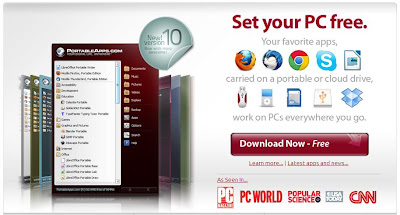
Installation caused the same way, so this time the author is trying to share in the actual application for Netbook specialize. Due to its lightweight size so it will not meet theburden of memory and disk space. As we know that the Netbook itself is not designedfor proper usage of the application of his Laptop / Notebook.
If you want to use it, its steps are as follows:
- Open your favorite browser, point it to http://portableapps.com/
- Click Download Now.
- After that you will be confronted to three download options menu to suit your needs. In this article the authors use the application to the type of 12 MB ??/ 14 MB Installed.
- Let the moment, the moment it would come out automatically file for download. Leave to file in the Download is complete.
- Once it has finished downloading, double click on his or her application.
- Click Next to begin the installation.
- Accept the terms that appear by clicking I Agree.
- Next specify the folder where the installation, because the specialize for Netbook users,the authors suggest to put it on Flash Disk. In the example this time the author put his data in Drive D in the hard disk. Later the same way if you put it in the Flash Disk. Continue by clicking Install.
- Allow the installation process is running.
- After the installation is complete, give a check in the launch and then click finish PortableApps.com Platform.
- Will automatically exit the application icon in your taskbar. At first glance the menuinterface is similar to the Start Menu of Windows Vista.
- click menu All Portable Apps to start to install the application is needed.


For now if the application is already installed on your netbook, then you no longer need to install many applications such as Office or any Browser. Due to the PortableApps application has summarized it all into one portable package in the Flash Disk.
So where you need it later application, you simply stay bring your Flash Disk for use in other netbooks.
Any Tricks article thats on Installing a Portable Applications For Your NetBook, may help you. Thank you for your visit, we may learn useful computer online.
Any Tricks article thats on Installing a Portable Applications For Your NetBook, may help you. Thank you for your visit, we may learn useful computer online.
Subscribe to:
Posts (Atom)