Showing posts with label tinyumbrella. Show all posts
Showing posts with label tinyumbrella. Show all posts
Sunday, October 13, 2013
TinyUmbrella Updated With Tentative iPhone 4S and iOS 5 0 1 Support

You can download the new version of TinyUmbrella for Mac and Windows here…

TinyUmbrella Updated To v5 00 04 With iOS5b3 Support
Just a quick heads-up: notcom just updated TinyUmbrella to v5.00.04. The new updated brings support for iOS5b3 and fixes a stupid name encoding bug where folks would see their device name show up like this: “John‚Äôs iPad” instead of “John’s iPad”.
Download TinyUmbrella For Mac and Windows here…

Saturday, October 12, 2013
How to Downgrade Your iPhone Firmware Using TinyUmbrella Windows
These are instructions on how to downgrade your iPhone firmware using TinyUmbrella. In order to follow this tutorial you must already have saved your SHSH Blobs for the firmware you want to restore to.
You can use this tutorial to downgrade to iOS 4.3.3 in order to jailbreak using JailbreakMe. The Mac version of this tutorial is here.
Step One
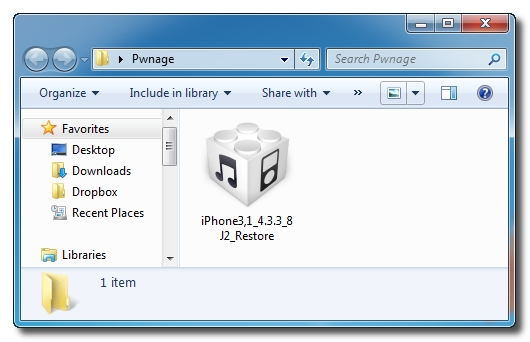
Download TinyUmbrella from here and save it in a Pwnage folder on your desktop if dont have it already.
Step Two
Download the firmware you want to restore to from here and save it in a Pwnage folder on your desktop. Remember you must have saved your SHSH Blobs for this firmware already.
Step Three
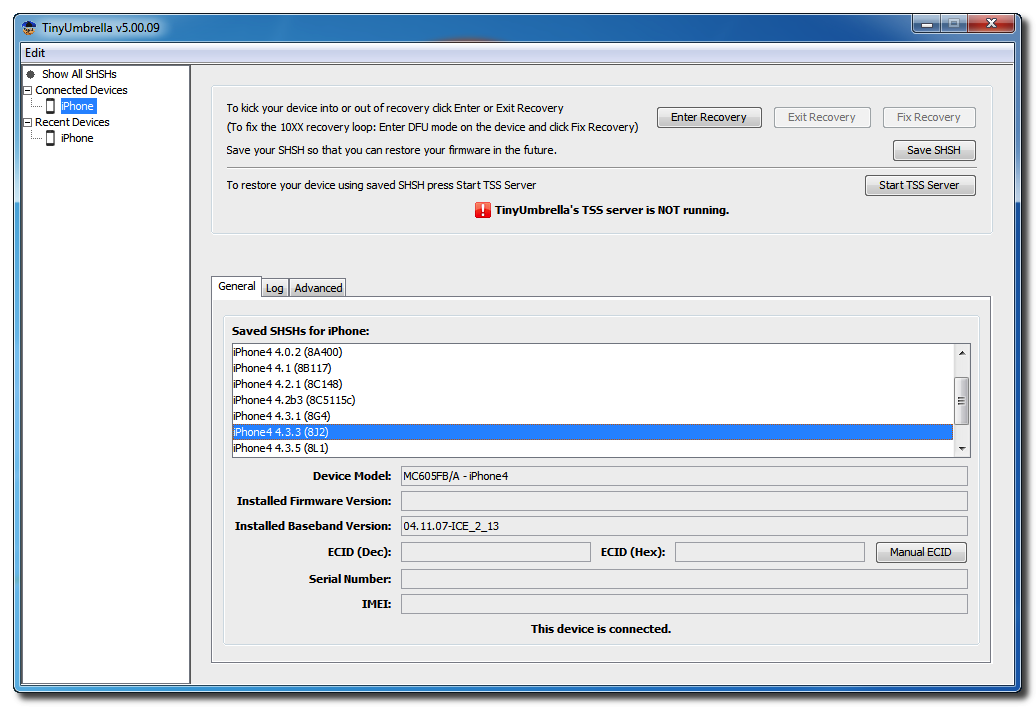
Launch TinyUmbrella by double clicking its icon.
Step Four
Connect your device and make sure it lists saved SHSH Blobs for the firmware you are restoring to. You may need to click Save SHSH to restore your blobs from Cydia if you dont see any listed.
Step Five
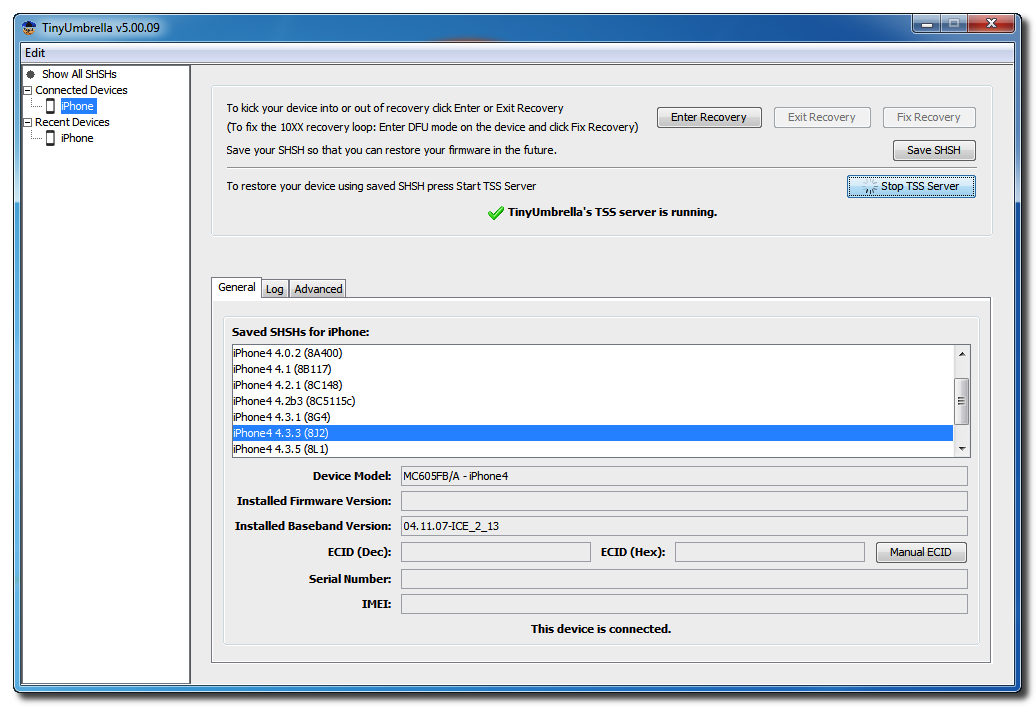
Click the Start TSS Server button.
*Do not continue if TinyUmbrellas TSS server is not started successfully.
Step Six
Launch iTunes by clicking its icon in your Start Menu.
Step Seven
Place your iPhone into DFU mode by holding down the Power and Home buttons for 10 seconds then release the Power button and continue holding the Home button for another 10 seconds.
You can find help with DFU mode here.
Step Seven
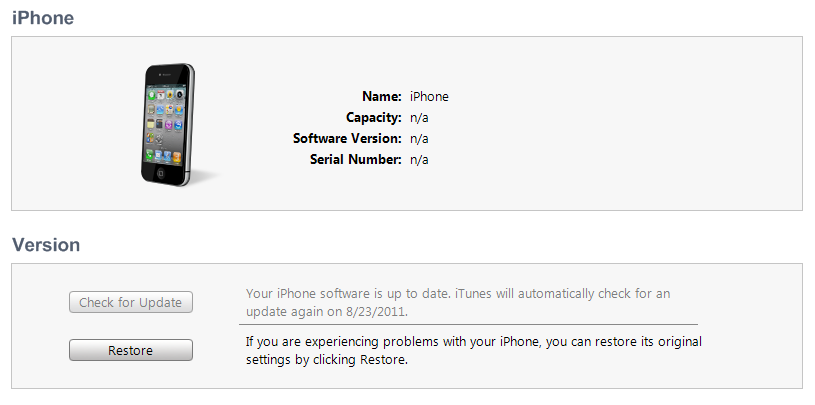
Select your iPhone from the list of devices on the left, hold down the Shift key and click Restore.
Step Eight
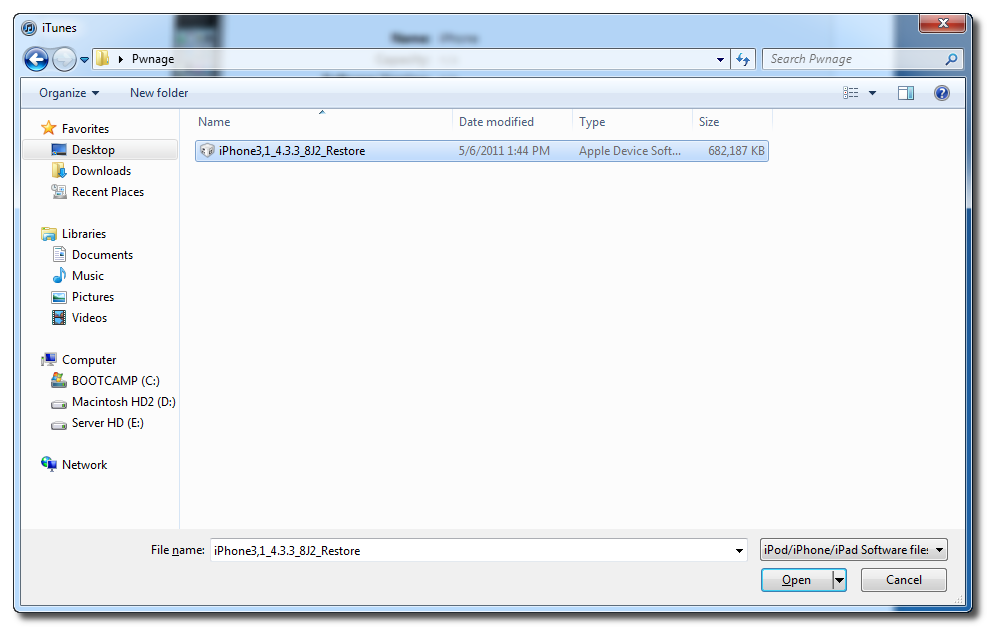
Navigate to the Pwnage folder on your desktop, select the ipsw file you downloaded and click the Open button.
Step Nine
iTunes will now restore to the lower firmware version.
Step Ten
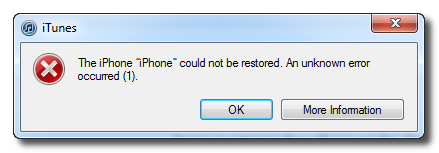
If you happen to get an Error 1 or you get stuck in recovery mode, you will need to use FixRecovery to get your device out of recovery mode.
Download FixRecovery from here and save it to the Pwnage folder on your desktop. Then extract the archive.
Download zlib1.dll from here and save it to the Pwnage folder on your desktop. Then extract the archive.
Step Eleven
Place your iPhone into DFU mode by holding down the Power and Home buttons for 10 seconds then release the Power button and continue holding the Home button for another 10 seconds.
You can find help with DFU mode here.
Step Twelve
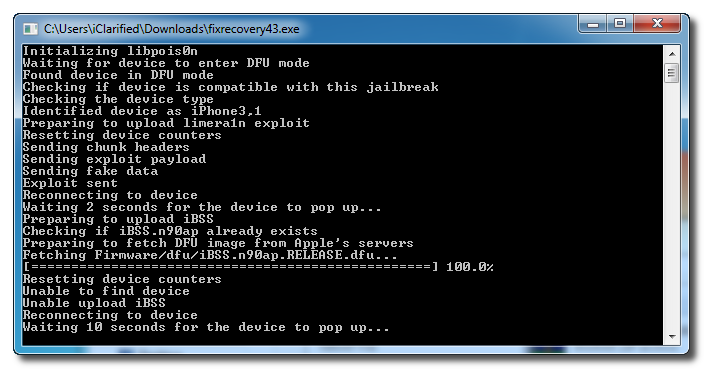
Double click to launch the fixrecovery43 executable we just extracted.
Step Thirteen
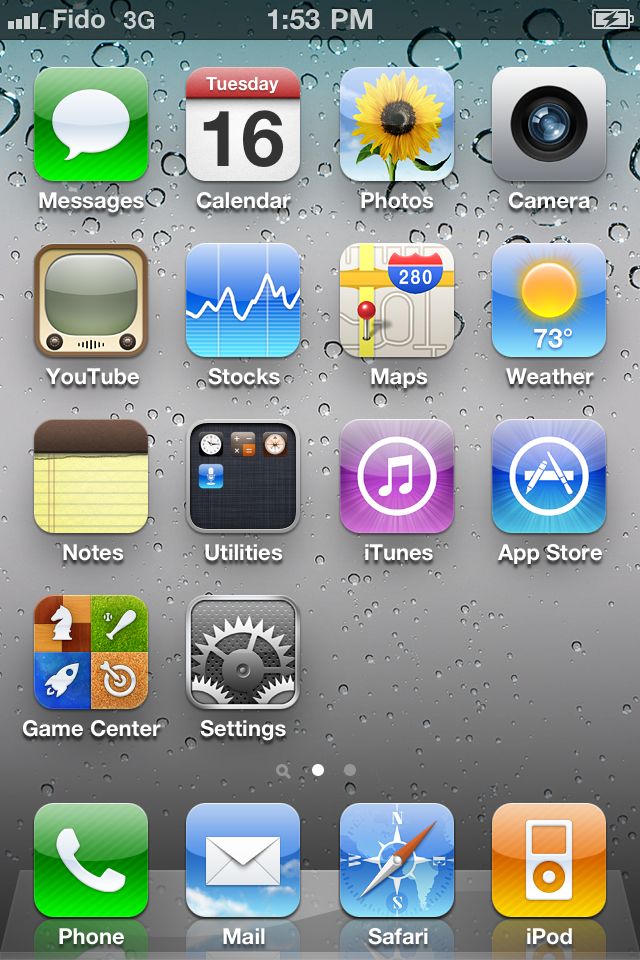
FixRecovery will perform its magic after which your device will be successfully rebooted.
IMPORTANT:
● If fixrecovery does not work the first time you may need to rerestore to your desired firmware version and try again. Remember to keep the TSS Server running during your second restore as well.
● This tutorial does work to get your from iOS 5 beta back down to iOS 4. Although some have reported less issues with a lower version of iTunes this tutorial was tested to work with iTunes 10.5.0.77.









Sunday, September 29, 2013
How to Save 4 3 3 4 2 8 SHSH iPhone iPod Touch iPad Using TinyUmbrella 04 33 00
TinyUmbrella 4.33.00 has released to allow you to save iOS 4.3.3 on iPhone 4, 3GS, iPod touch 4G, 3G and iPad, also TinyUmbrella 4.33.00 allows you to save SHSH for Verizon iPhone 4 running iOS 4.2.8.

Download Links:
TinyUmbrella 4.33.00 for saving SHSH iOS 4.3.3:
Read More..
As a reminder, to save your SHSH blobs, simply connect your iDevice via USB to your computer, launch TinyUmbrella, and click the “Save SHSH” button.
Download Links:
TinyUmbrella 4.33.00 for saving SHSH iOS 4.3.3:
Wednesday, September 18, 2013
TinyUmbrella Updated With Support For iOS 5 1 Beta 2 and 3

Just a quick heads-up: TinyUmbrella has been updated for iOS 5.1 beta 2 and 3. There was a nasty UI locking issue when you clicked ‘Save SHSH’ that was partially fixed too. Download the newest version of TinyUmbrella here and save your blobs.
Friday, September 13, 2013
TinyUmbrella Is Updated To Support iOS 5 Beta 3
TinyUmbrella 5.00.04 is now available for download with support to the latest beta of iOS 5 (iOS 5 Beta 3). Also a visual bug in the previous versions has been fixed.Fixed a stupid name encoding bug where folks would see their device name show up like this: “John‚Äôs iPad” instead of “John’s iPad”. It was a stupid oversight on my part. Well it’s fixed now.Saving your SHSH Blobs makes you capable of downgrading your firmware to a previous version. So we recommend Downloading TinyUmbrella 5.00.04 and saving iOS 5 Beta 3 SHSH Blobs in case you needed to downgrade your firmware in the future
Also, 5.0b3 support is included. Enjoy.

Friday, September 6, 2013
TinyUmbrella 5 10 10 iPad 2 4 wifi re release support
TinyUmbrella now supports iPad 2,4 for iOS 5.1. Simply connect your new iPad 2 and save your SHSHs!
Ive come across some spare time and have started putting more effort into TinyPwn and the rewrite of TinyUmbrella. Thank you all for your continued support and feedback! Your support is my motivation.
Thanks and Save your SHSH!
Subscribe to:
Posts (Atom)